What is a wall printer?
Summary: A wall printer is an upright inkjet printer. It stands against the wall while the printhead moves up and down, jetting ink in strips from an image file. Sellers often call it a "3D mural machine", but "3D" usually refers only to a visual effect.
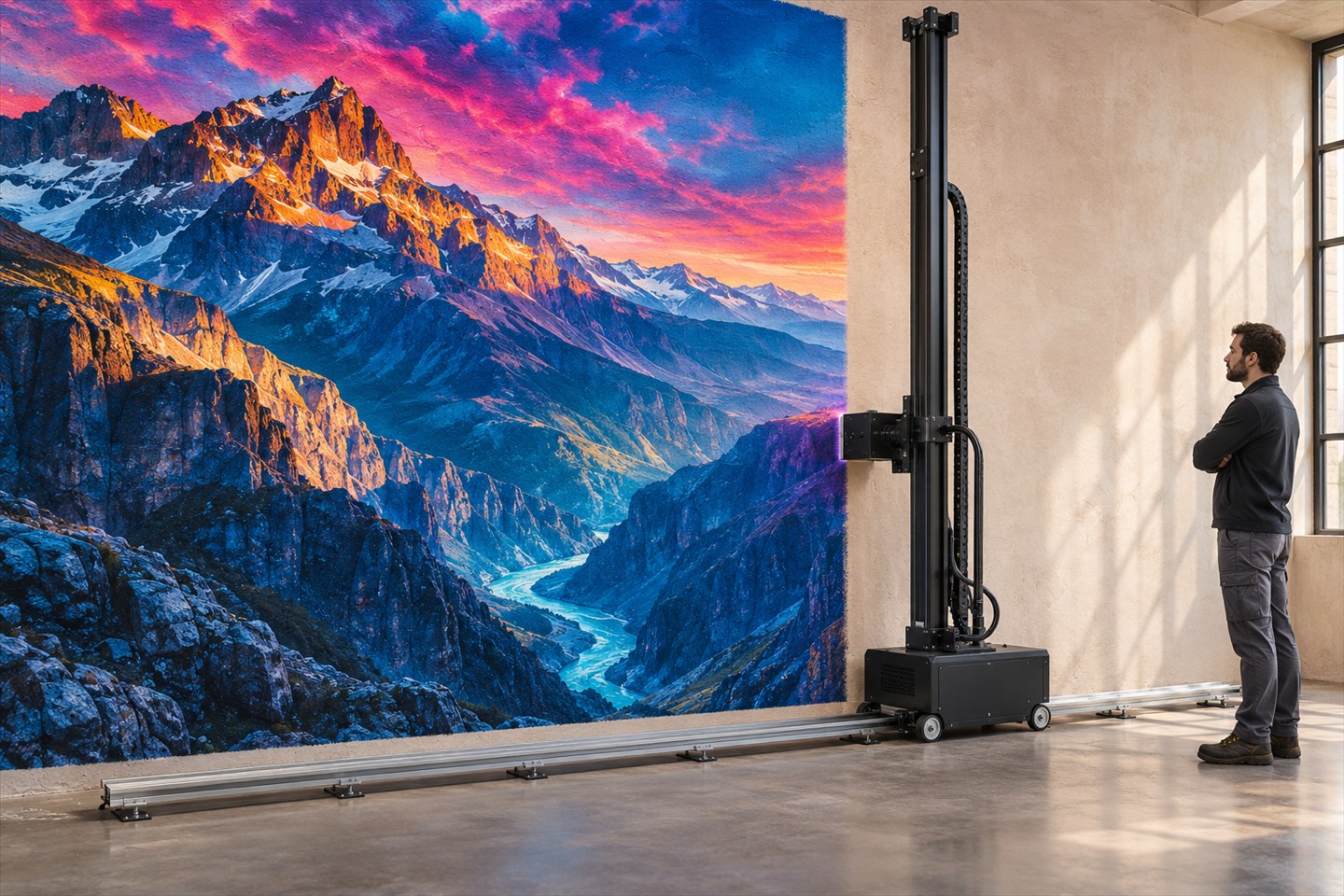
1. How the machine works
- 1The printhead jets tiny ink droplets onto the wall. The VPJet4.0 applies electrical pulses to a piezoelectric element in the printhead. A pressure change ejects a droplet through a nozzle when a dot is needed. This is drop-on-demand (DOD) inkjet printing. Source: DXonJet · VPJet4.0 user guide, version 1.0 (opens an external site)
- 2The printhead moves up and down; the machine steps sideways for the next strip. The printhead carriage travels vertically. The printer advances on wheels or a track for the next swath. Sensors monitor the gap between the head and the surface. Sensor type depends on the model. Source: DXonJet · VPJet operation and printable area (opens an external site)
- 3A UV lamp cures the ink right after it is jetted. The printhead deposits ink on the wall. UV LEDs supply the ultraviolet light that cures the ink film. Some configurations can lay down white ink first to give colours better coverage on a dark surface. Source: wallPen · Direct-to-wall inkjet process (opens an external site) · wallPen · E2 configurations and specifications (opens an external site) · IP Viet Nam · Patent specification 49724, UV-curable inkjet inks (opens an external site)
- 4Print a small test patch before the whole wall. Check the existing coating, dust and surface flatness. Print a sample on the same finish to assess adhesion, fine detail and colour before printing the full mural. Source: Roland DG · Material surfaces and test prints (opens an external site) · DXonJet · VPJet4.0 user guide, version 1.0 (opens an external site)
2. Not to be confused with hand painting or wallpaper
Direct-to-wall printingThe subject of this library. The machine jets ink straight onto the wall from an image file.
Hand paintingAn artist paints by hand. Many online "mural" price lists are actually hand-painting prices.
Printed wallpaperPrinted on paper, fabric or vinyl by another printer, then stuck to the wall.
Does a "3D" mural stand out from the wall?Usually not. "3D" often means an optical illusion of depth while the surface stays almost flat. Some machines can print several layers for real texture; ask to see a sample. Tell the two apart
3. Which surfaces can be printed
Match the ink to the substrateAdhesion depends on ink, substrate, coating, moisture and preparation. A manufacturer listing one substrate may cover only some of its variants or finishes.
Absorbent and non-absorbent substratesConcrete, plaster and bare wood behave differently from glass, ceramic tile and metal. Non-absorbent substrates may need primer and an adhesion test.
Acceptance checksClean and stabilise the surface, then print a test patch. Check adhesion, cleanability, abrasion and light exposure under conditions relevant to your project.
4. How long it lasts
wallPen publishes for its own ink: up to 12 years indoors; about 2 years outdoors, over 5 years with a UV protective topcoat Manufacturer data Source: wallpen.com (opens an external site) · checked 24 November 2026 wallPen's published figure for its own ink. The library has not found an independent test of it. How to read durability figures
5. Is the ink safe
The library does not have enough independent sources to answer for all inks. Each manufacturer uses different ink. What to do: ask the printing business for the safety data sheet of the exact ink they use, and ask about ventilation while printing.
Sources for this article
- DXonJet · VPJet4.0 user guide, version 1.0 (opens an external site)
- DXonJet · VPJet operation and printable area (opens an external site)
- wallPen · Direct-to-wall inkjet process (opens an external site)
- wallPen · E2 configurations and specifications (opens an external site)
- Roland DG · Material surfaces and test prints (opens an external site)
- IP Viet Nam · Patent specification 49724, UV-curable inkjet inks (opens an external site)
Each link goes to the original page. Checked 21 November 2026.